So… you finally decided to take your local content marketing seriously. Smart move. Think of this as your step-by-step guide to creating a content calendar that works for your local business.
No confusing marketing jargon, no complex theories. Just practical, proven steps to help you plan posts, stay consistent, and grow your visibility in local search.
Step 1: Audit What You’ve Already Done
First things first: look at what you’re already posting. On your social media, your blog, email blasts, anything. What posts got attention? What didn’t? This audit isn’t glamorous, but it’s gold.
Why? Because you want to double down on what works and avoid repeating content that didn’t connect with your audience. This also helps you spot gaps, like missing seasonal promotions or overlooked local keywords.
Tie your audit to business goals. Ask yourself, “Am I aiming for more conversions, higher engagement, or a larger local audience?” That’s the kind of clarity we want from step 1.
Step 2: Define Goals & Content Themes
This step is where you decide what you actually want to achieve with your content. Are you trying to get more foot traffic to your shop, boost email sign-ups, or just make more people in your area aware of your business? Each goal will shape what kind of content you post.
For example:
- Foot traffic → focus on local event announcements, limited-time offers, or behind-the-scenes videos that make people want to visit.
- Email sign-ups → share snippets of valuable tips or simple freebies. A freebie could be something like a short guide, a checklist, a discount coupon, or any small resource that feels useful to your audience. Tease that they can get the full version by joining your email list.
- Brand awareness → post customer stories, collaborations with other local businesses, or shareable content that people in your community love to spread.
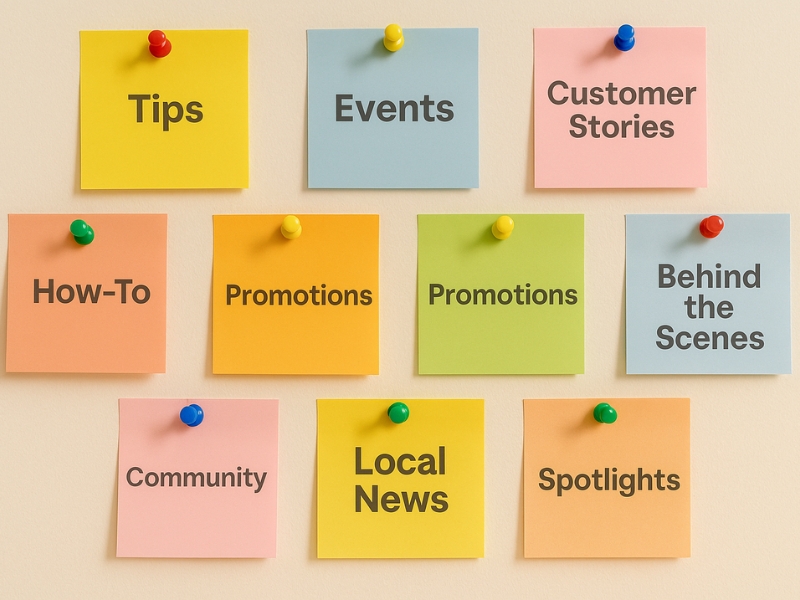
Once your goal is clear, choose 3–4 content themes (also known as content pillars). These act like buckets where all your content ideas will fall. For local businesses, great themes include:
- Customer stories/testimonials
- Local events and community news
- Educational how-to tips
- Behind-the-scenes looks at your business
Using themes makes it so much easier to brainstorm content. You won’t feel like you’re scrambling for random post ideas because everything ties back to your pillars. This also keeps your content cohesive and on-brand.
Step 3: Get Organized With the Right Tool & Layout
Now that you know your goals and content themes, the next step is to get organized. Having a clear system keeps all your ideas in one place, helps you plan ahead, and makes sure nothing slips through the cracks. The tool you choose should be easy to use, quick to scan, and simple to update—because the easier it is, the more likely you’ll stay consistent.
If you’re starting out or working solo:
- Google Sheets is one of the best free options. Customize it with columns for date, platform, keyword, location tag, and call-to-action. Color-code by content type, filter posts by status, and make quick edits without complicated setups.
If you prefer a visual approach:
- Trello, Notion, or Airtable let you drag-and-drop posts through different stages (idea, draft, scheduled, published). Airtable is especially flexible since you can switch between calendar, spreadsheet, and Kanban views—great if you’re planning across multiple platforms or collaborating with a team.
Pro Tip: Use Canva for Graphics
Need quick visuals? Canva is a free tool where you can design posts, videos, and templates. It keeps your graphics on-brand and easy to reuse, so creating content feels less overwhelming.
Step 4: Schedule Posts & Include Variety
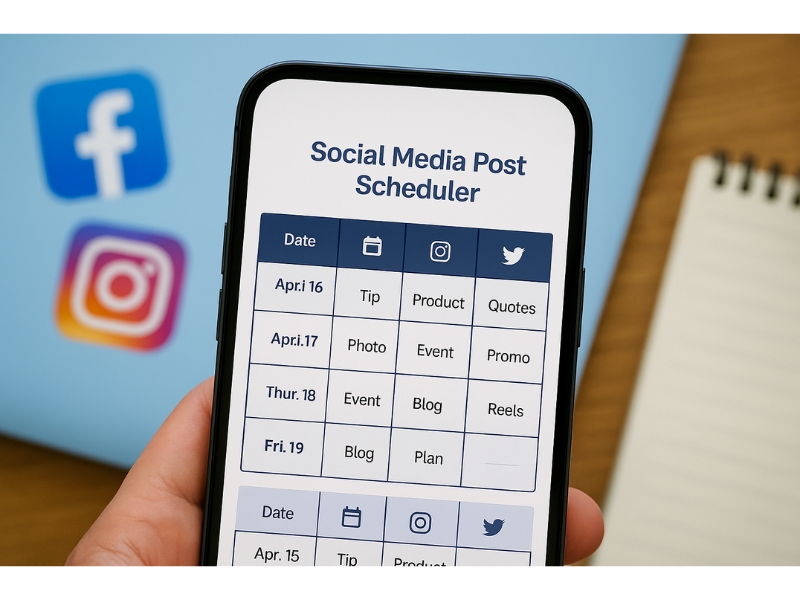
Posting consistently is better than posting every day so only commit to a schedule that is sustainable for you. For most local businesses, 2 to 3 posts per week is enough to stay visible without burning out.
Keep your calendar flexible:
Leave 1 or 2 open slots each week for spontaneous updates, trending topics, or last-minute promotions. These open slots keep your content fresh and make your brand feel more present and responsive.
Mix up your content to keep engagement high:
- Quick tips: Short, valuable advice tied to your product or service
- Customer spotlights: Share reviews or user-generated photos to help you get more reviews from happy customers
- Behind-the-scenes: Give a glimpse of your process, team, or workspace
- Local events: Promote community activities or special offers
Why this works for local SEO:
By mixing up your posts, you appeal to both people and search engines. Highlighting community ties and sharing customer feedback builds trust, while varied content gives Google more signals to feature your business in local search. In turn, it encourages more locals to leave reviews and interact with your brand.
Step 5: Review & Adapt Monthly
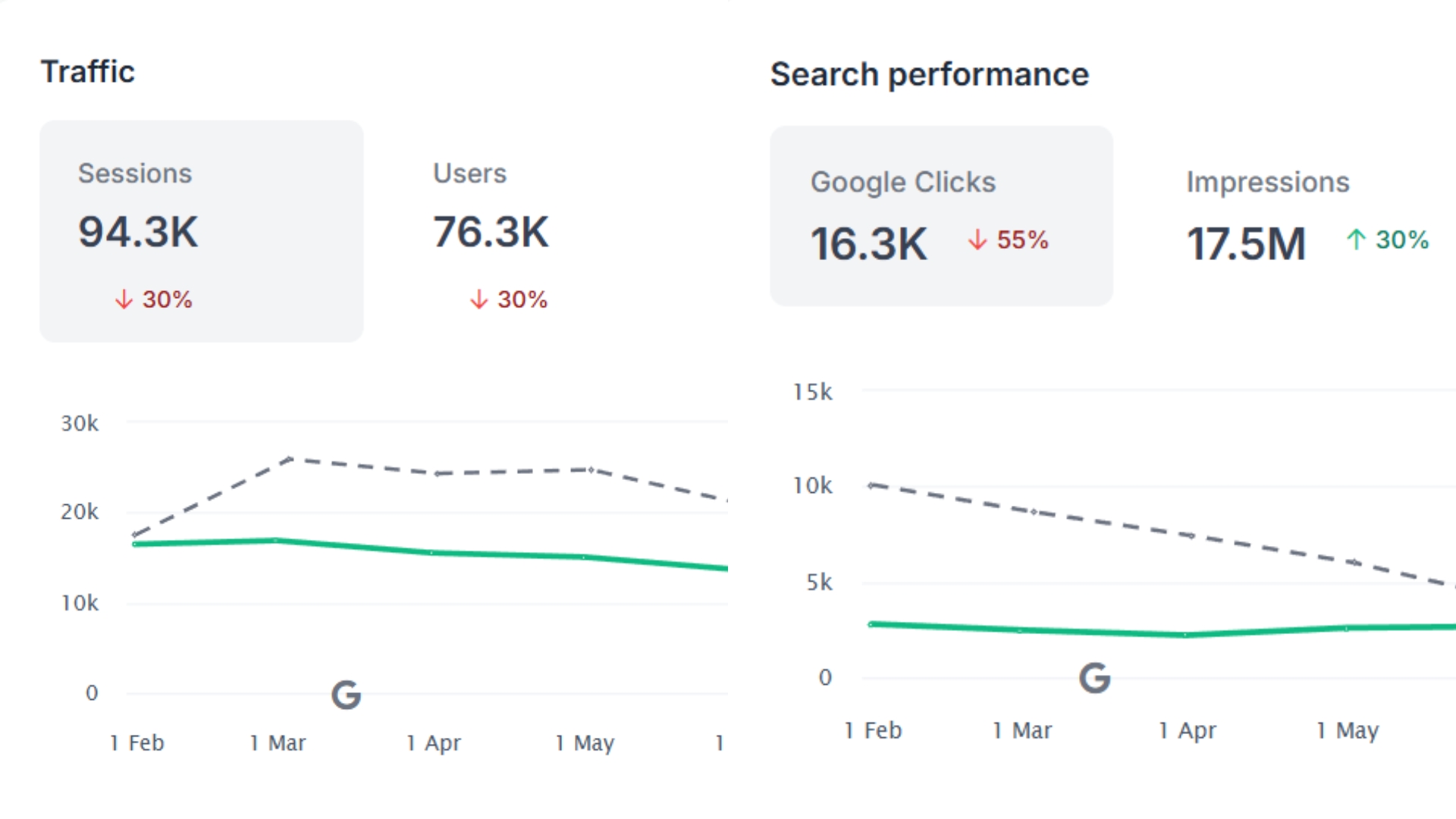
This is where you turn data into better results. At the end of each month, set aside 15–20 minutes to monitor your local SEO performance and review your content calendar results. Check your analytics across Google Business Profile, social media insights, and website metrics to measure:
- Engagement: Likes, comments, shares, and saves
- Reach: How many unique users saw your content
- Clicks: Traffic to your website, blog, or service pages
- Conversions: Email sign-ups, calls, bookings, or in-store visits
Look for patterns. Which posts generated the most clicks? Which local keywords or hashtags helped you appear higher in search? Which content formats, like how-to videos or customer spotlights, consistently drive engagement?
Use these insights to adjust next month’s strategy. Focus on high-performing topics and keywords, improve underperforming formats, and plan posts around seasonal events or trending local search terms.
Over time, regularly monitoring local SEO performance will boost audience engagement, improve your visibility in Google Search and Google Maps, and attract more qualified local leads.
Mini Real‑World Example

Imagine you run a neighborhood café and want to keep your marketing consistent while attracting more local customers. Your content calendar for a week in May could look like this:
| Date | Platform | Theme | Post Type | Notes |
| May 5 | Promo | Customer photo | “Try our iced latte #short” | |
| May 10 | Behind scenes | Video clip | Show barista art in action | |
| May 12 | Blog | How‑to | Article + share | “How to brew perfect pour-over at home” |
Each entry has a clear theme, platform, and local SEO angle, from geotagging Instagram posts to using “[City] + product” keywords in captions.
By drafting captions directly in your calendar, you avoid last-minute scrambling and make sure every post is aligned with business goals like driving foot traffic, boosting brand awareness, or increasing online orders. This system also leaves room to add trending content, such as posting about a community event or highlighting a customer story that day, without throwing off your schedule.
Why It Works:
- Keeps your marketing goal-driven and consistent
- Incorporates local keywords and hashtags to boost search visibility
- Saves time and reduces stress by preparing content in advance
- Allows flexibility for timely, trend-based posts that engage your local audience
Your Content Calendar Game Plan Moving Forward

Building a content calendar isn’t about complicating things, it’s about creating a system that saves time, reduces stress, and keeps your marketing on track. When you set clear goals, plan around themes, and use the right tools, you’ll see posts going out consistently and engagement growing naturally.
Follow this approach and you’ll see the difference, your content will flow smoothly, engagement will grow, and you’ll stay on top of your marketing without the last-minute rush.
Frequently Asked Questions
Update it monthly after reviewing engagement metrics, Google Business Profile insights, and website traffic. Use this data to plan posts that target top-performing keywords and seasonal local events.
No. Google Sheets works well for most local businesses, set columns for date, platform, keyword, location tag, and call-to-action. For teams, Airtable or Trello can help assign tasks and track progress.
Include posts that boost local search visibility, such as Google Business Profile updates, blog articles targeting “[your city] + service” keywords, customer testimonials, and content from community events.
Plan 2–4 weeks ahead so you can schedule posts around local festivals, seasonal offers, and industry awareness days, while keeping space for trending topics.
Yes. Consistent posting with local keywords, geotagged images, and location-based hashtags signals activity to search engines, helping you rank higher in Google Search and Google Maps.
If your goal is more in-store visits, schedule posts promoting time-sensitive offers and events. If you want more calls, create posts that highlight your business’ immediate value and offer quick booking links.