
If you’re running an online business (or thinking of starting one), you’ve probably come across the idea of getting a virtual address. Maybe you’ve seen it mentioned in a forum, or your website host asked for a business address. And now you’re wondering: Is it really worth it? Or is it just another business expense?
Let’s walk through it step-by-step — no complicated jargon, just the facts you need.
What Is a Virtual Address for Business?
A virtual address is a real street address you can use for your business that isn’t your home. It’s not a PO Box — it looks like a physical office, and in most cases, it actually is. The difference? You don’t work there.
Instead, your mail is received, scanned, and forwarded to you digitally or physically. Some services even offer receptionist support, package handling, or business registration help.
Think of it as renting a professional address — without renting the office.
Why Do Online Business Owners Use a Virtual Address?
Here’s why more solopreneurs and small business owners are going the virtual route:
- Privacy: You don’t have to use your home address on your website or for legal documents.
- Credibility: Gives your business a more established presence
- Mail Management: Everything is handled for you — some services scan and email you your mail.
- Legal Requirements: If you’re forming an LLC or corporation, you’ll need a physical address (not a PO Box).
Virtual Address vs PO Box vs Home Address
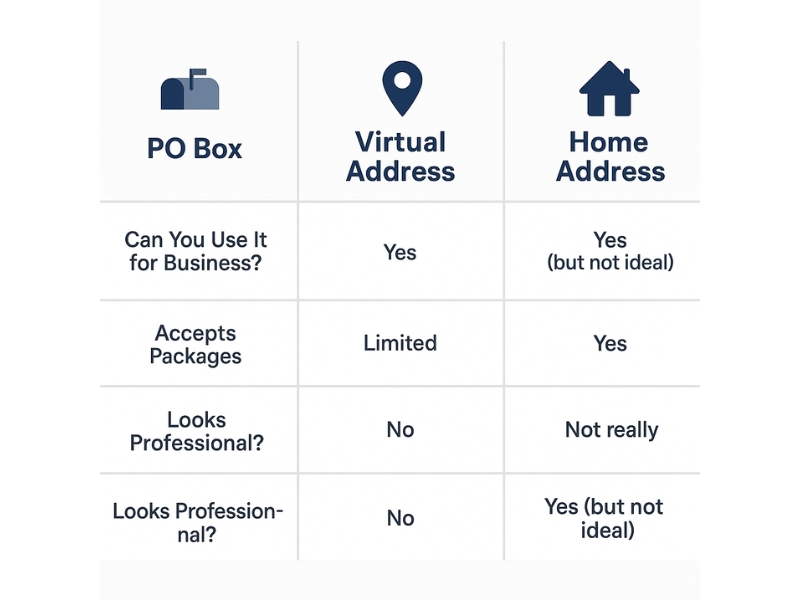
Let’s break this down simply:
| Type | Can You Use It for Business? | Accepts Packages | Looks Professional? |
| Home Address | Yes (but not ideal) | Yes | Not really |
| PO Box | Sometimes | Limited | No |
| Virtual Address | Sometimes | Yes | Yes |
A PO Box is cheaper but looks less professional and isn’t always accepted by platforms like Google My Business or Shopify.
A virtual address strikes a good balance between professionalism and affordability.
Who Uses Virtual Addresses?
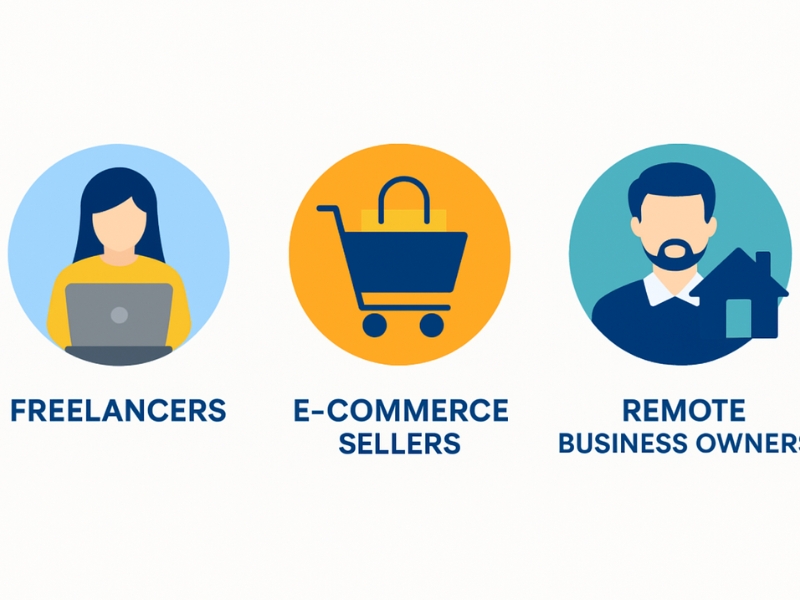
Not sure if this applies to your situation? Here are the kinds of people and businesses who benefit most from having a virtual address:
- Freelancers and consultants
- E-commerce sellers and digital shop owners
- Coaches, creatives, and online service providers
- Remote-first teams or solopreneurs
- Anyone forming an LLC or registering their business officially
Whether you’re building a personal brand or scaling a product-based business, a virtual address helps you look polished while staying protected.
Do You Really Need One?
It honestly depends on where you are in your business journey. A virtual address isn’t a must-have for everyone, but for many online business owners, it’s one of those small investments that quietly pays off.
Ask yourself:
- Are you forming an LLC or corporation?
- Do you run an e-commerce store or blog that collects user info?
- Are you planning to run email marketing campaigns (like with Klaviyo or GHL)?
- Do you need a business address for invoices, payment processors, or banking?
- Are you uncomfortable putting your home address on public-facing documents?
If you nodded yes to even one of these, then getting a virtual address is more than worth it. It saves you the awkwardness of mixing personal and professional, and helps you set up the “boring but important” parts of your business the right way.
Now, if you’re still in the early stages — say, you’re freelancing on the side or casually blogging — it might not feel urgent yet. That’s totally fine. You can wait until you start setting up official registrations or running client-facing systems.
But here’s the catch: by the time you need a business address, you’re probably already juggling 10 other things. So setting one up early can actually save you time and stress down the road. It’s not about spending money for the sake of it — it’s about building with intention.
Pros and Cons of Using a Virtual Address
Pros:
- Keeps your home address private
- Meets legal requirements for forming an LLC
- Helps you appear legitimate to customers, banks, and platforms
- Easy access to scanned mail from anywhere
Cons:
- Monthly fee (usually $9–$50/month)
- Setup can take a few days
- Not all services are equal — some are slower with mail forwarding
How to Get a Virtual Address (Step-by-Step)
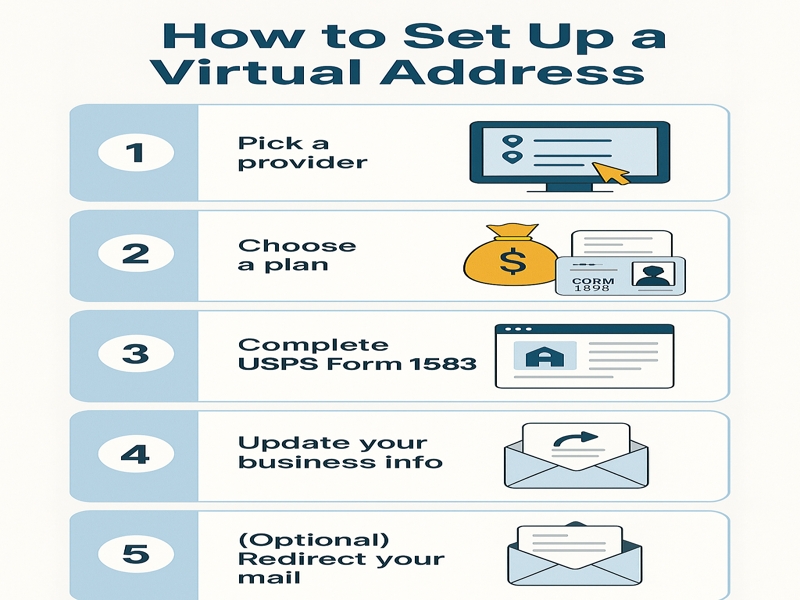
Setting up a virtual address is surprisingly easy — no complicated forms or tech headaches. Here’s how to get it done in just a few steps:
1. Pick a Provider
First, choose a virtual address service that fits your needs. Some of the most popular and trusted providers are:
- Earth Class Mail – Great for businesses that need lots of automation and integrations.
- iPostal1 – Offers thousands of address options across different cities.
- Anytime Mailbox – Known for flexibility and affordability.
- Traveling Mailbox – A favorite among digital nomads and small business owners.
If you want your business to appear like it’s based in a big city (like NYC or LA), choose a provider with addresses in that location — it can give you a more professional image.
If you’re not sure where to start with choosing a virtual mailbox, we’ve compared the top virtual mailbox options.
2. Choose the Right Plan
Most providers offer tiered pricing based on how much mail you expect and what you need. Here’s what to consider:
- Mail volume: Some plans cap the number of mail pieces per month.
- Scanning vs. forwarding: Do you want your mail scanned and emailed to you? Or physically forwarded?
- Extra services: Think phone answering, secure shredding, check depositing, or having multiple users on the account.
Pick what you need for now — you can always upgrade later if your business grows.
3. Complete USPS Form 1583
This is a required form that authorizes your provider to receive mail on your behalf. It’s a one-time step, but it does require some ID verification.
Your mailbox provider typically walks you through this process as part of your account setup.
You’ll need:
- Two forms of ID (usually a driver’s license and a utility bill or passport)
- A notarized form (some providers offer free online notarization!)
Once this is approved, you’re officially set up to receive mail through your new business address.
4. Update your Business Information
Now that you have your shiny new virtual address, it’s time to put it to work. Update your info on:
- Your website and contact pages
- Email footers (for compliance, if you’re sending marketing emails)
- Business cards, proposals, and invoices
- Payment processors, bank accounts, and tax documents
Having a consistent address across all platforms helps build trust and keeps your records clean.
5. Redirect your Mail (optional)
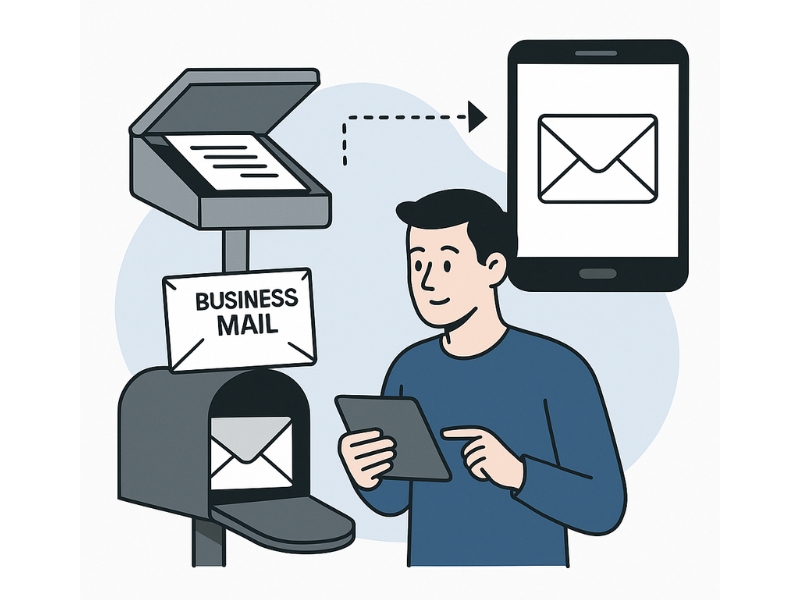
If you’d like to receive all incoming mail at your virtual address, you can set up mail forwarding through the USPS. This is optional — but helpful if you want to avoid the hassle of monitoring two addresses.
Once you’ve completed these steps, you’re officially operating with a more professional, streamlined setup. It’s one of those behind-the-scenes upgrades that doesn’t take long — but makes your business feel 10x more legit.
Virtual Address Setup Checklist
Ready to get started? Here’s a simple checklist you can follow to make sure you’re setting up your virtual address the right way — no missed steps, no stress.
Here’s a quick-reference checklist to keep things smooth from start to finish.
- Choose a reputable provider that fits your needs
- Pick a city/state address that aligns with your brand
- Complete USPS Form 1583 and submit your ID
- Activate mail scanning and forwarding (if needed)
- Update your address on all business documents
- Set up email alerts for incoming mail
- (Optional) Redirect existing mail via USPS
Final Thoughts
So, is a virtual address for business really worth it?
If you’re serious about building something that lasts, a virtual address gives your business structure, credibility, and space to grow.
It’s one of those quiet steps that separates dabbling from doing. And once it’s set up, you’re free to focus on the real work: growing with confidence and clarity.
Frequently Asked Questions

Yes, in most U.S. states, you can use a virtual address to register your LLC as long as it’s a real street address. Just make sure it’s not a PO Box and that your provider is authorized to handle business mail.
Absolutely — it protects your privacy and looks more professional to clients, banks, and platforms like Shopify. Using your home address can also cause issues with public records and spam.
Google is strict about virtual addresses and often requires a real, customer-facing location. If you meet customers in person, you might be eligible — otherwise, it’s safer to skip using it for GBP.
Yes, most providers accept packages from UPS and FedEx. Just double-check their policy — some charge extra for forwarding or storage.
They’re closely related — a virtual mailbox includes scanning, forwarding, and digital access to your mail, while a virtual address is the location you use. Most modern providers offer both under one plan.
Not right away, but it’s a smart move as you grow or if you want to separate personal and business life. It also helps if you plan to scale, register a business, or run email campaigns later on.