
Blogging today requires more than ideas and motivation. Successful blog posts need clear structure, search intent alignment, topic relevance, readability, and a tone readers connect with.
Then comes formatting, internal linking, headline optimization, and consistency. Handling all of this manually can easily turn one blog post into a full day’s work.
And for bloggers managing multiple articles per month, these steps compound quickly. What starts as a creative pursuit can become a logistical challenge, where producing content consistently is harder than coming up with ideas in the first place.
AI tools designed specifically for long-form writing help simplify that process. They reduce the time spent on outlining, researching, drafting, and refining so bloggers can focus more on creativity, message, and strategy.
By streamlining the foundational steps of the writing workflow, these tools help writers maintain momentum. Instead of getting stuck organizing research or deciding which angle to take, bloggers can move forward confidently with a clear, structured starting point.
These tools do not replace thoughtful writing. Instead, they remove repetitive hurdles so bloggers can create more high-quality content without burnout.
Ultimately, the value comes from blending human insight with structured support. The blogger still guides tone, perspective, examples, and storytelling—while AI assists in ensuring clarity, cohesion, and alignment with what audiences are actually searching for.
These tools also help create more responsible AI-generated content by supporting human editing and intentional voice refinement, instead of relying on automation alone.
- BrandWell Long-Form SEO Blog Posts in Minutes
- KoalaWriter Fast SEO Blog Drafting for Bloggers
- Claude AI Natural-Sounding Long-Form Writing and Polishing
- Manus Polishing and Clarity Without Changing Your Voice
- Surfer SEO Data-Driven Optimization for Higher Rankings
- WriterZen Topic Clustering for Topical Authority
- Frase SERP and Topic Research for Smarter Blog Outlines
- Notion AI Built-In Writing Support for Organizing Drafts and Research
- Perplexity SERP-Aware Research and Topic Understanding
Below is a guide to the best AI blog writing tools built for long-form SEO content. Each tool supports a different part of the blogging workflow. Choosing the right one depends on whether the goal is speed, tone quality, topic strategy, optimization, or workflow organization.
Best AI Tools for Writing Full Blog Posts
BrandWell — Long-Form SEO Blog Posts in Minutes
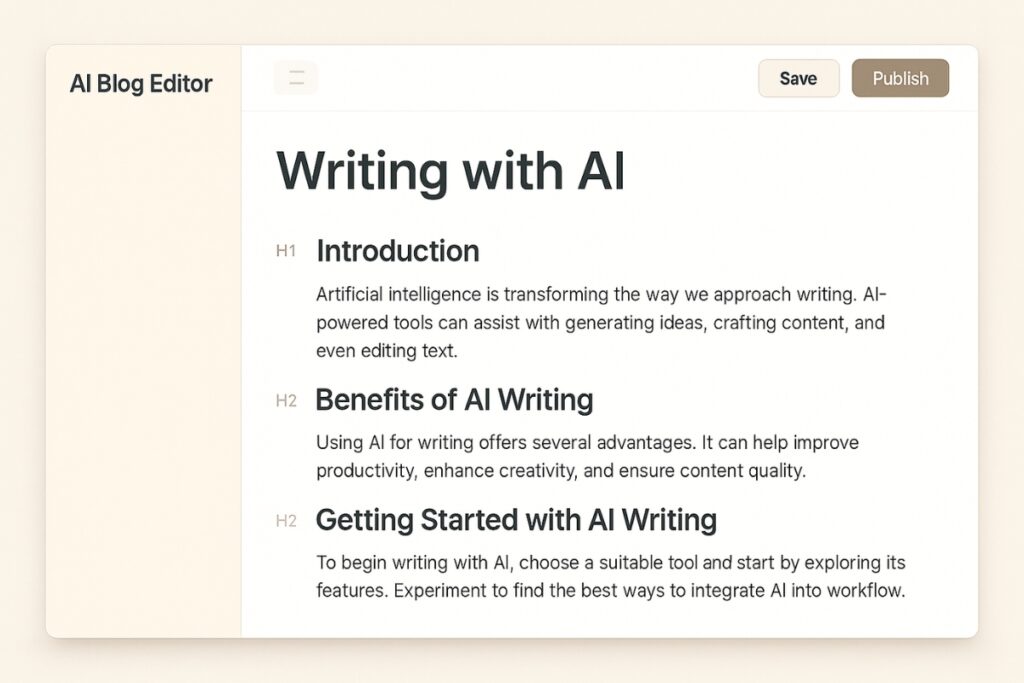
Ideal for producing complete, structured blog posts that align with search intent without heavy manual planning.
BrandWell generates full-length SEO blog posts based on a keyword or topic. It studies search results, analyzes reader intent, and organizes the content into well-structured sections before writing.
What makes BrandWell effective is its ability to prioritize what matters most in a blog post, answering user questions, maintaining narrative clarity, and following logical topic flow. Instead of simply filling space with keywords, it shapes the draft around the reader’s journey, ensuring the article delivers value from start to finish.
This helps the article feel aligned with what searchers expect to find, reducing the need for heavy restructuring.
It works especially well for bloggers who need to publish consistently without spending hours outlining or planning.
For creators managing multiple posts or working within a content schedule, this reliability reduces decision fatigue. The outline comes structured with purpose, making it easier to focus on refining voice, adding personal insights, and ensuring the final post resonates with the audience.
BrandWell supports a scalable workflow, making it helpful for growing blogs or teams aiming to increase posting frequency.
Key Features:
- Generates long-form articles guided by search intent
- Suggests subtopics commonly found in top-ranking posts
- Provides metadata recommendations and internal link prompts
- Connects to CMS platforms for publishing support
Step-by-Step Use:
- Enter the target keyword or blog topic.
- Review the outline suggestions and adjust any section order.
- Generate the article and read through for tone alignment.
- Add personal examples or insights before publishing.
Pricing and Plans:
Essentials Plan
- $249/month
Designed for solo bloggers or small teams managing up to two sites. Includes the full AI writing editor, 25 SEO optimized article credits, AIMEE chatbot, specialized AI agents, and plagiarism detection tools.
Agency Plan
-
$499/month
Built for agencies and multi-client content systems. Includes white-label access, unlimited client guest seats, website audits, and expanded content intelligence usage.

A powerful AI writing platform that creates long-form, SEO-optimized blog posts quickly and naturally.
- Produces high-quality, human-sounding articles
- Built-in SEO optimization and topic clustering
- Saves time on research and formatting
- Premium pricing for higher content volume
- Requires manual review to refine tone

KoalaWriter — Fast SEO Blog Drafting for Bloggers
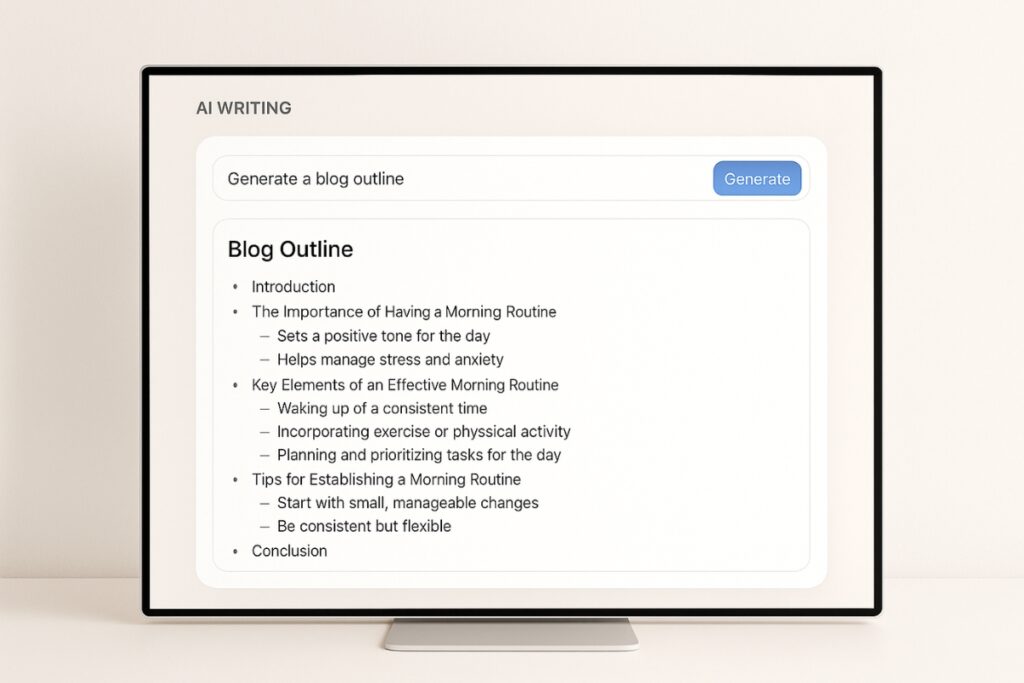
Best for quickly generating clean, ready-to-edit drafts based on real search patterns and reader expectations.
KoalaWriter generates quick, structured blog drafts based on your target keyword, preferred tone, and audience.
It also analyzes current SERP competitors in real time, so the outline it generates is shaped by what is already ranking. This helps ensure the core talking points, formatting patterns, and topical depth match what readers are expecting to find when they search that keyword online.
It also helps bloggers get past the blank page stage and move directly into shaping and refining content.
By starting from a research-backed outline, bloggers can spend more time refining message clarity, weaving in examples, and strengthening brand voice instead of figuring out what to include. This creates a smoother drafting workflow, especially for writers who prefer editing over freeform writing.
The tool references real search results to match outline patterns and reader expectations, making the initial draft feel relevant and organized.
This is useful for bloggers who prefer editing over writing from scratch. KoalaWriter provides the base structure, and users can then adjust tone, examples, length, and context to suit their blog’s personality and goals.
Key Features:
- Generates long-form articles guided by SEO and search intent
- Adjusts tone and reading level to match the audience
- Supports internal linking and affiliate content formatting
- Offers bulk writing mode and CMS/webhook publishing options
Step-by-Step Use:
- Enter your main keyword or blog topic.
- Select tone and audience settings to match your style.
- Generate the draft and scan the outline to ensure it fits your direction.
- Edit and refine tone, structure, and voice before publishing.
Pricing and Plans:
Essentials Plan
- $9/month
Provides 15,000 KoalaWriter words per month and 250 KoalaChat messages. Suitable for personal blogs or new bloggers experimenting with publishing workflows.
Professional Plan
-
$49/month
Includes 100,000 KoalaWriter words per month, 1,000 KoalaChat messages, and features like automatic internal linking and deep research capabilities. Ideal for bloggers publishing consistently.
Boost Plan
-
$99/month
Provides 250,000 KoalaWriter words per month and faster bulk article creation. Good for blogs that publish in higher volume.
Growth Plan
-
$179/month
Designed for small content teams producing steady content output. Includes 500,000 KoalaWriter words and 5,000 KoalaChat messages per month.
Elite Plan
-
$350/month
Suitable for agencies managing multiple clients. Includes 1,000,000 KoalaWriter words and 10,000 KoalaChat messages per month.
Advanced Plan
-
$500/month
Built for high-volume publishing operations. Includes 1,500,000 KoalaWriter words and 12,500 KoalaChat messages per month.

- Simple and beginner-friendly workflow
- Supports fast drafting with SEO structure included
- Scales easily for blogs of every size, from solo to agency
- Generated drafts still require personalization for voice and connection
- Intro and conclusion sections sometimes need manual refinement
Best AI Tools for Draft Refinement & Polishing
Claude AI — Natural-Sounding Long-Form Writing and Polishing

Strong for refining tone, simplifying complex topics, and producing clear, human-like long-form narrative flow.
Claude is known for producing writing that sounds natural, human, and thoughtful. It’s strong at long-form content, brainstorming, editing tone, and simplifying complex topics. So it’s easy to see why Claude is often chosen by bloggers and content teams who need clarity and quality, not just speed.
It’s especially useful for:
- Rewriting drafts to improve voice and flow
- Turning research notes into structured outlines
- Creating educational, helpful content that reads smoothly
Claude’s conversational understanding also makes it easier to guide the writing style with short instructions rather than complex prompts.
Key Features:
- Writes clear, natural long-form content
- Strong summarization and rewriting ability
- Can analyze documents, PDFs, and images
- Helpful for research and outlining
- Available across web, mobile, and desktop
Step-by-Step Use:
- Paste your draft, outline, or research notes into Claude.
- Tell Claude the tone, audience, and goal (e.g., casual, expert, mom-to-mom, educational).
- Ask Claude to rewrite, smooth transitions, or expand explanations.
- Read the output and refine any personal examples or brand phrases manually.
Pricing and Plans:
Free
- $0
Best for casual users. Includes content writing, chat access across devices, basic research abilities, and web search. Limited usage volume.
Pro
-
$20/month (monthly)
$17/month (annual)
Best for daily creators. More usage capacity, access to Claude Code, unlimited projects for organizing research, Google Workspace integration, file execution, and research tools.
Max
-
$100/month per user
Built for heavy, professional usage. Includes 5x to 20x more usage than Pro, higher output limits, memory across conversations, early access to advanced features, and priority performance during high traffic times.

- Produces some of the most human-like writing quality
- Great for rewriting drafts into polished final content
- Strong document understanding for research and editing
- Free plan has limited output capacity
- Max plan pricing may be high for solo bloggers
Manus — Polishing and Clarity Without Changing Your Voice

Best for refining tone, cleaning up sentences, and improving readability before publishing.
Manus works as a final editing layer that helps your blog posts feel clearer, smoother, and more cohesive.
It focuses on sentence-level refinement rather than rewriting your core message. This means Manus enhances what you’ve already written instead of reshaping the meaning or structure of your ideas. As a result, your article still feels like you, just sharper and easier to read.
Unlike AI tools that rewrite content into a different voice, Manus preserves your natural tone while removing filler words, tightening phrasing, and improving flow.
This makes it especially reliable when your brand voice is already developed and needs to remain consistent across multiple posts or platforms. Whether your tone is friendly, expert, casual, or authoritative, Manus strengthens clarity without shifting personality.
This makes it especially useful for long-form blog posts where clarity and pacing matter.
It’s ideal for bloggers who want their writing to feel polished and professional (without spending hours self-editing or overthinking every sentence).
Key Features:
- Enhances clarity and sentence flow
- Removes repetitive phrases and filler wording
- Keeps your authentic writing voice intact
- Helps finalize posts quickly and confidently
Step-by-Step Use:
- Paste your near-final draft into Manus.
- Select tone and clarity settings.
- Review edits and make any final adjustments before publishing.
Pricing and Plans:
Manus uses a credit-based system, where credits are spent each time you run an editing task. The number of credits used per task depends on the length of the text and the depth of refinement applied (e.g., light clarity edits vs. deeper tone smoothing). This structure allows flexibility whether you’re polishing short posts or long-form content.
Starter
- $39/month
3,900 credits/month, up to 2 concurrent editing tasks.
Ideal for solo bloggers who publish occasionally and want a clean, professional final pass on each post.
Pro
-
$199/month
19,900 credits/month, up to 5 concurrent tasks, plus access to beta features.
Designed for creators publishing multiple articles per month who want consistent tone refinement and workflow efficiency.
Team plan
-
$39/seat/month
(shared credits pool)
Built for teams maintaining one brand voice across multiple writers. Shared credits make it easier to review and polish posts before publishing.
For exact credit usage per post, Manus recommends testing a draft during the free trial to understand typical consumption based on your writing style.

- Perfect for the final editing pass before posting
- Maintains personal voice and writing style
- Helps reduce over-editing and second-guessing
- Works best on drafts that are already structured
- Not meant for full-content generation or outlining
Best AI Tools for SEO Optimization & Authority
Surfer SEO — Data-Driven Optimization for Higher Rankings

Perfect for improving content performance using measurable SEO insights, keyword mapping, and ranking gap analysis.
Surfer SEO helps bloggers improve their search visibility by aligning content with what already ranks well.
It does this by comparing your content against top-performing competitors and identifying which elements contribute to stronger visibility, such as structure, depth, terminology, and context. This ensures the content you create responds directly to what searchers are actively engaging with.
It analyzes top-performing pages, identifies essential keywords, suggests internal linking opportunities, and evaluates structure and readability.
Rather than simply adding keywords, Surfer guides how those terms should be distributed and supported within the article. This helps maintain natural readability while improving content relevance, making the optimization process feel strategic rather than forced.
This helps bloggers rewrite, update, and optimize content to match user search expectations.
Surfer is especially effective for refreshing older posts that have slowed down in traffic.
It provides a clear view of which parts of a post no longer match current search intent, letting you update only what’s necessary instead of rewriting from scratch. This targeted approach makes content maintenance more efficient and helps older articles recover ranking strength faster
Instead of guessing what needs to change, Surfer provides concrete improvement suggestions, making optimization predictable and measurable.
These features help simplify optimization even for those working with beginner-friendly SEO tools or building authority for the first time
Key Features:
- SERP and keyword analysis for content alignment
- Content scoring with optimization guidance
- Internal linking recommendations
- Site-wide auditing and content planning insights
Step-by-Step Use:
- Enter the target keyword into the content editor.
- Review the suggested outline and keyword usage indicators.
- Adjust headings, paragraphs, and internal links to improve the content score.
- Publish updates and monitor ranking changes over time.
Pricing and Plans:
Essential Plan
-
$79/month (billed annually)
Designed for individuals and small teams improving organic visibility. Includes content editor access, Google Docs and WordPress integrations, templates, and monthly optimization opportunities.
Scale Plan
-
$175/month (billed annually)
Ideal for growing teams publishing at higher volume. Includes everything in Essential with increased usage limits, content performance monitoring, CSV exports, more templates, and onboarding support.
Enterprise Plan
-
From $999/month (billed annually)
Built for agencies and brands managing multiple properties or large content catalogs. Includes API access, advanced collaboration controls, strategic SEO advisory, priority support, and early feature access.

- Provides clear, data-based content optimization guidance
- Excellent for updating or improving existing blog posts
- Integrates smoothly with common editing workflows
- Works best when paired with a drafting tool
- Requires basic SEO understanding to use effectively
WriterZen — Topic Clustering for Topical Authority
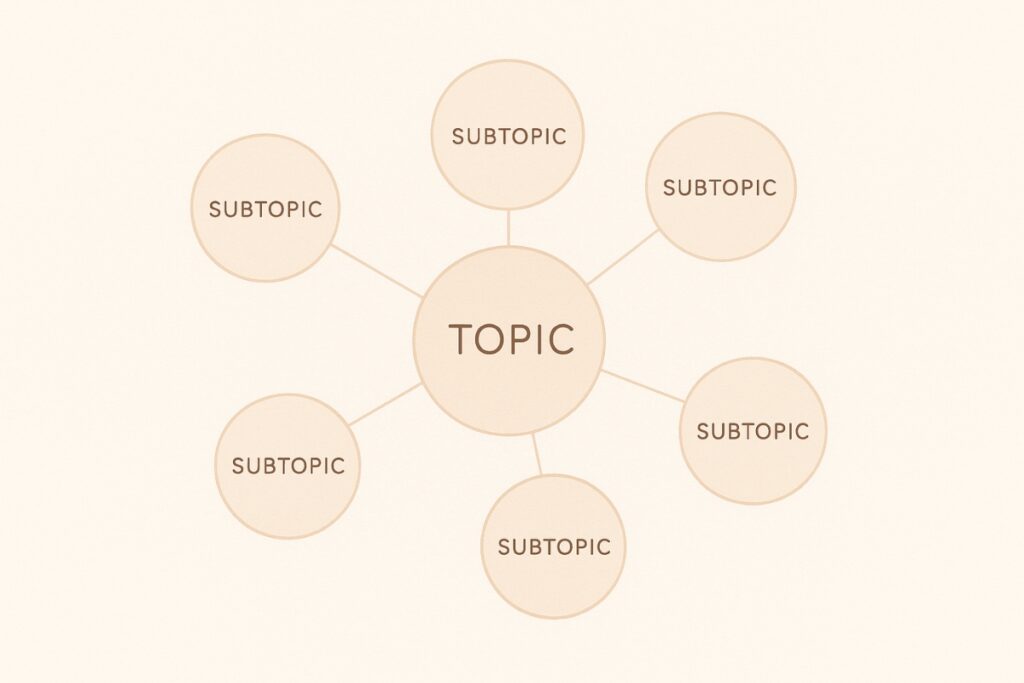
Helps build long-term authority by organizing content around meaningful keyword clusters and interconnected topic strategies.
WriterZen helps bloggers build topical authority by organizing keyword research into clusters.
This means instead of sorting through endless keyword lists manually, WriterZen groups related search queries together, showing how audiences explore a topic from different angles. This gives bloggers a clearer map of what readers care about and how different topics connect within the broader niche.
Instead of writing isolated articles, BloggerZen guides content planning around related topics that support stronger rankings.
This approach strengthens SEO signals because search engines can see when a site covers an entire subject comprehensively. When multiple articles reinforce each other through internal linking, the blog becomes a trusted resource rather than a surface-level content hub.
This makes it easier to create content that search engines recognize as expert-driven and structured.
WriterZen is especially helpful for long-term SEO strategy. It clarifies which posts to write next and how each piece connects to others in the content ecosystem.
This reduces guesswork during content planning and helps prevent duplicate or overlapping posts. Over time, this structured approach results in a logically layered content library where each new article builds on previous ones, improving both user navigation and search visibility.
This turns a blog into a structured knowledge hub rather than a collection of unrelated articles.
Key Features:
- Topic clustering to build authority in a niche
- Keyword research with difficulty scoring
- Content planning dashboards
- Tools for affiliate keyword and search intent validation
Step-by-Step Use:
- Enter your niche or topic into WriterZen’s keyword research tool.
- Review the suggested keyword clusters and group topics by search intent.
- Select primary and supporting keyword topics for each article.
- Plan internal linking and publish articles to reinforce topic structure.
Pricing and Plans:
WriterZen is currently offered as a lifetime-access deal through AppSumo. You pay once and keep the tool forever, with usage limits increasing depending on how many codes you stack.
1 Code
-
$79
(Lifetime Access)
Good for solo bloggers. You get moderate daily keyword and topic lookups, enough content briefs to support a weekly publishing schedule, basic AI writing capacity, and access for up to two team members.
2 Codes
-
$158
(Lifetime Access)
Best for consistent blogging. This tier increases your daily lookup limits, gives more monthly AI writing credits, and expands keyword list storage. Designed for one blog publishing regularly or a small team managing content together.
3 Codes
-
$237
(Lifetime Access)
Ideal for growing blogs or brands managing a larger content library. Lookup, brief, and AI writing limits scale significantly, making it easier to plan content clusters and refresh older posts at a faster pace.
4 Codes
-
$316
(Lifetime Access)
Built for agencies or multi-site publishers. This tier offers the highest usage limits across research, writing, and keyword management, plus additional team seats for collaboration.

- Lifetime access with no recurring subscription fees
- Strengthens SEO strategy and content planning
- Helps build long-term topical authority
- Works best when used alongside an AI writing tool
- Initial keyword cluster setup requires time and planning
Best AI Tools for Topic Research & Workflow Organization
Frase — SERP and Topic Research for Smarter Blog Outlines
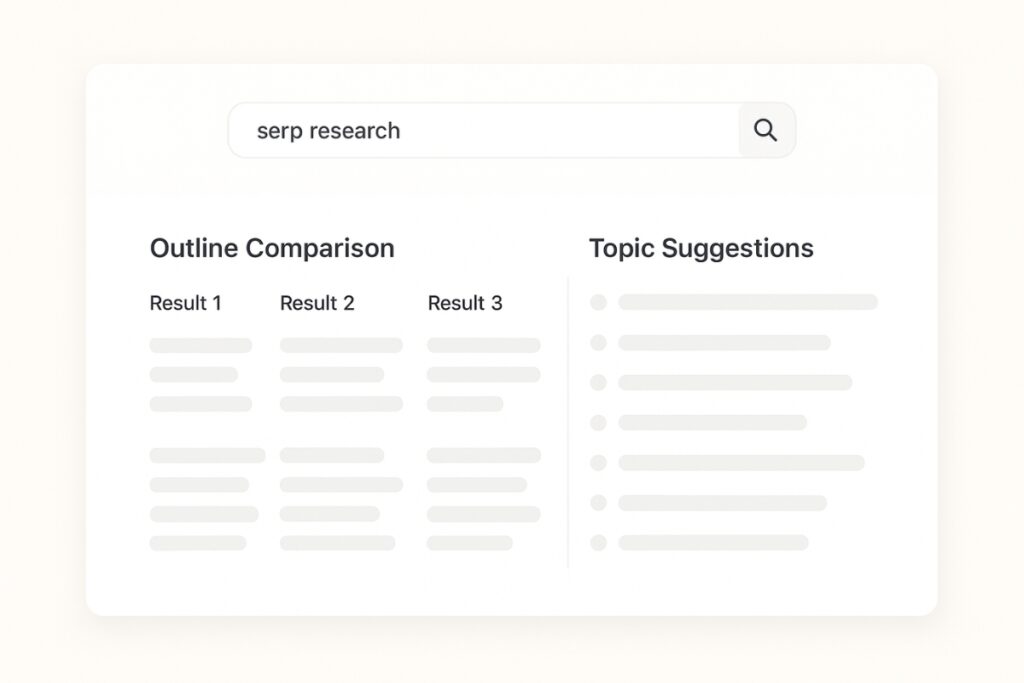
Useful for creating outlines and topic briefs based on what real searchers are expecting to find in top-ranking articles.
Frase is built to help bloggers create articles that match what users are actually searching for.
It does this by breaking down search intent into clear patterns, helping writers understand not just what to write about, but why those topics matter to readers. This removes the guesswork from planning long-form content and makes topic selection more strategic.
It analyzes the top-ranking pages in Google and shows which topics, headings, and keywords should be included for stronger relevance.
Instead of manually reviewing dozens of competitor articles, Frase presents the most important elements in one place, making it easier to identify content gaps, strengthen structure, and ensure the final piece is aligned with search expectations.
This makes it a valuable tool for improving on-page optimization without guessing what search engines want.
Frase is especially helpful for writing long-form informational content, pillar pages, and supporting topic clusters.
By guiding writers toward related subtopics and adjacent questions, Frase supports building content depth, not just length. This makes it easier to create articles that signal expertise and improve topic authority over time.
Its content brief builder and AI writer work together to speed up research and outline creation, making the writing process more structured and efficient.
Key Features:
- SERP topic extraction for research and outline building
- SEO content briefs based on real ranking competitors
- AI-assisted writing and rewriting
- Content scoring for optimization improvements
- Brand voice profiles for consistent writing tone
Step-by-Step Use:
- Create a new Frase document and enter your target keyword or topic.
- Review the SERP research and select the topics and questions to include.
- Build or adjust the outline using Frase’s content brief panel.
- Generate or refine the draft using the AI writer inside the editor.
- Polish tone, add internal links, adjust structure, and finalize for publishing.
Pricing and Plans:
Starter
-
$38/month
Designed for solo bloggers or new content creators. Includes 1 seat, 15 content projects per month, 2 optimized rank-ready briefs, unlimited AI words, and basic SEO analysis.
Professional (Most Popular)
-
$98/month
Suited for growing teams managing multiple content workflows. Includes 3 user seats, 75 content projects per month, 10 optimized rank-ready briefs, brand voice profiles, competitive content insights, and priority support.
Enterprise
-
Custom Pricing
Built for agencies or organizations managing high content volume. Includes unlimited projects, custom user seats, content governance controls, SSO/SAML authentication, dedicated support, and enterprise-level security SLAs.
- Strong SERP-based outline and topic research
- Helps create content that aligns with user search intent
- Useful for content teams improving workflow efficiency
- Advanced features are primarily locked behind the Professional plan
- Requires consistent usage to get full value from content scoring
Notion AI — Built-In Writing Support for Organizing Drafts and Research
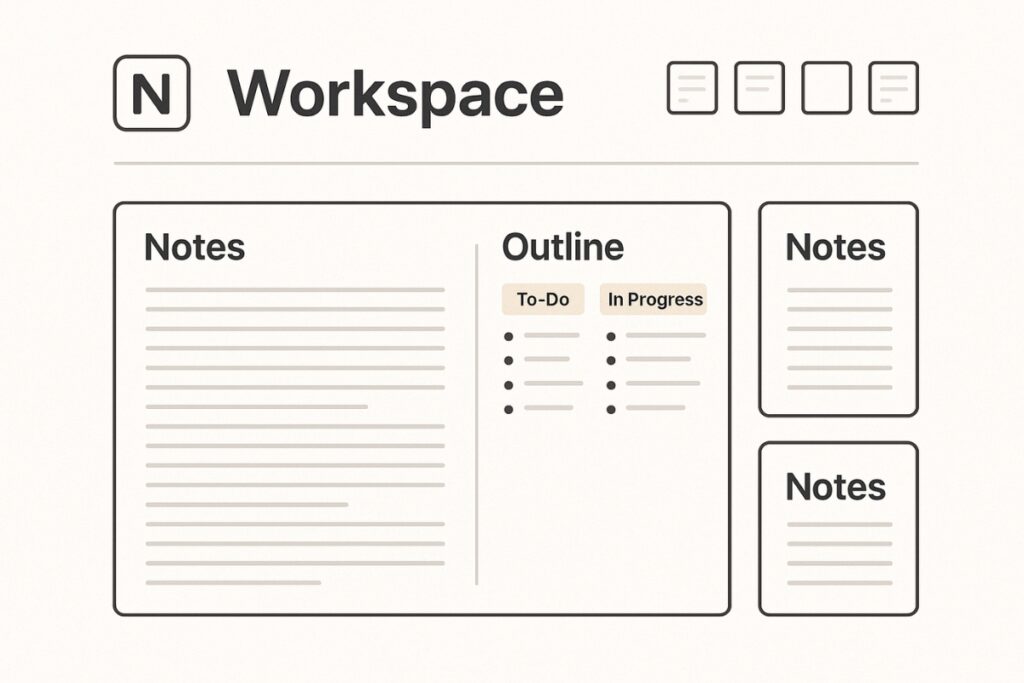
Supports content teams who plan, draft, and revise inside one workspace, helping streamline idea flow and organization.
Notion AI is built directly inside Notion, which makes it especially useful for bloggers and content managers who organize their research, outlines, editorial calendars, meeting notes, and article drafts in one place.
This also means everything stays contextually connected. When you update a project brief, add reference links, or adjust strategy notes, the AI works with the latest version of your workspace, making it easier to turn organized thoughts into publishable content without losing track of where ideas started.
Instead of jumping between apps, writing, editing, and content restructuring all happen inside the same workspace.
It is not a full long-form content generator like KoalaWriter. Instead, Notion AI works as a smart assistant that helps restructure content, summarize research, brainstorm angles, rewrite tone, and tidy up long documents.
Notion AI strengthens workflows rather than replacing them. It helps refine what’s already there, making rough drafts clearer, notes easier to navigate, and content planning more intentional. Writers still lead the creative direction; the AI simply supports clarity, structure, and organization.
It’s a strong companion for writers who already create content manually or collaboratively and need a smoother workflow. Especially those who are already using Notion in their content flow.
This makes Notion AI useful when managing your content calendar and ensuring that research, outlines, drafting, and revisions stay organized in one workflow.
Key Features
- AI writing assistance built directly inside Notion pages
- Summarize long notes, documents, and article drafts
- Rewrite, expand, shorten, or rephrase sections quickly
- Brainstorm new content ideas based on your notes
- Support for team collaboration and shared knowledge bases
Step-by-Step Use:
- Create or open your blog draft inside a Notion page.
- Highlight any section and use Ask AI → Improve Writing, Summarize, or Rewrite.
- Use Ask AI → Generate Outline when planning new posts.
- Store research, checklists, and drafts in organized pages to maintain workflow clarity.
Pricing and Plans:
Free
-
$0/month per member
Includes basic Notion workspace features, personal organization tools, and a trial of Notion AI with limited usage.
Plus
-
$10/month per member
Includes unlimited collaborative blocks, file uploads, custom forms, custom sites, and trial access to Notion AI.
Business
-
$20/month per member
Includes Notion AI full access, shared teamspaces, database permissions, SAML SSO, enterprise search, and research mode.
Enterprise
-
Custom Pricing
Full AI access with enterprise-grade security, provisioning controls, advanced compliance, audit logs, and dedicated manager support.

Notion is an all-in-one workspace integrating notes, tasks, and wikis, enhanced by AI, to streamline personal and team productivity.
- Ideal for bloggers who already store research and outline articles inside Notion
- Makes organization, brainstorming, and rewriting faster
- Great for teams handling editorial planning and documentation
- Not a specialized SEO-focused article generator
- AI writing output is lighter and less structured than long-form AI tools like KoalaWriter
Perplexity — SERP-Aware Research and Topic Understanding

Best for quickly gathering accurate research and understanding what readers expect before writing.
Perplexity helps bloggers streamline the research phase by summarizing information from real sources and top-ranking content.
It also provides source links and citations within its responses, making it easy to verify accuracy and trace insights back to reputable references.
It identifies key points, recurring angles, and knowledge gaps so your blog post can stand out rather than repeat what already exists.
This clarity helps confirm what should be emphasized, what can be simplified, and where your unique perspective can add value, before you even start writing.
This saves time on manual research and helps you write articles aligned to search intent.
Perplexity is especially helpful before drafting long-form content, when clarity and direction prevent writer’s block.
Key Features:
- Summarizes research from multiple credible sources
- Identifies search intent and topic expectations
- Provides cited answers so insights can be verified
- Helps shape outlines and content angles faster
Step-by-Step Use:
- Search your topic or target keyword in Perplexity.
- Review common questions, subtopics, and missing angles.
- Build your outline or brief based on research insights.
Pricing and Plans:
Standard (Free)
- (Free)
Basic access with limited advanced usage.
Pro (Individual)
-
$20/month
$200/year
Enhanced features.
Enterprise / Team
-
$40/month per seat
$400/year
For team-heavy usage

- Excellent for fast, accurate topic validation
- Helps avoid generic or repetitive blog content
- Deep Research function reduces time spent opening multiple research tabs
- Needs fact-checking, summaries can miss small details
- Doesn’t write full blog posts (research only)
- May pull the same angles as other top-ranking articles unless you add your own voice
How to Choose the Right AI Writing Tool
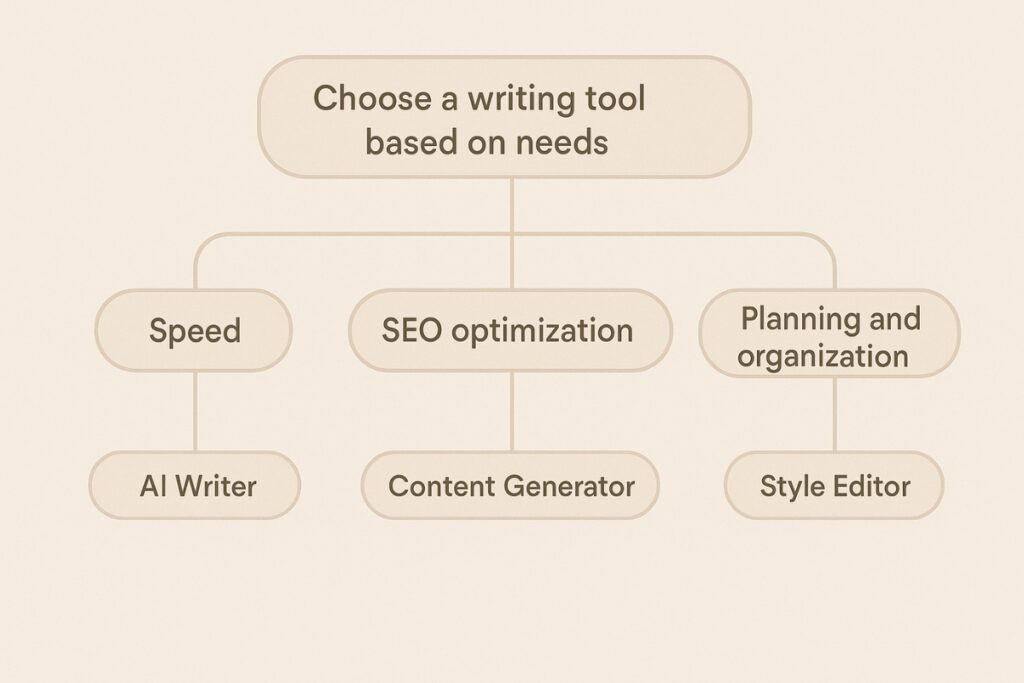
The best AI writing tool depends on how you create content and the type of output you need. While all the tools above can help with drafting and editing, each one is designed with a different workflow in mind. Instead of choosing based on features alone, it’s more effective to match the tool to the way you write.
1. Consider Your Writing Workflow
- If most ideas, research, and notes are stored in Notion, then Notion AI keeps everything in one workspace.
- If content planning happens outside your writing tool, a more structured writer like KoalaWriter or WriterZen may fit better.
The right tool depends on how your content marketing plan is structured and how much support you need at each stage of the writing workflow.
2. Look at How Much Content You Produce Each Month
- Occasional blogging: Lower-tier plans or Claude free/Pro are enough.
- Consistent weekly publishing: KoalaWriter Professional or WriterZen All-in-One Basic will support ongoing long-form output.
- Agencies or teams: Surfer Scale, Koala Boost, BrandWell Agency are built for collaboration and scaling.
3. Decide Whether You Need SEO Support
For content that needs to rank on Google, choose tools with built-in SEO optimization:
- KoalaWriter
- WriterZen
- Surfer SEO
If SEO is handled separately, Claude, Notion AI can be used purely for drafting and tone.
4. Check Brand Voice Requirements
If multiple writers contribute to the same brand or tone needs consistency:
- BrandWell is built for tone governance and brand voice control.
5. Evaluate Your Budget
- Best low-cost everyday writing: Claude Pro
- Best affordable SEO-focused blog writer: KoalaWriter Essentials or Professional
- Best long-term scalable content system: Surfer or BrandWell for teams
Recommended Blogging Workflow
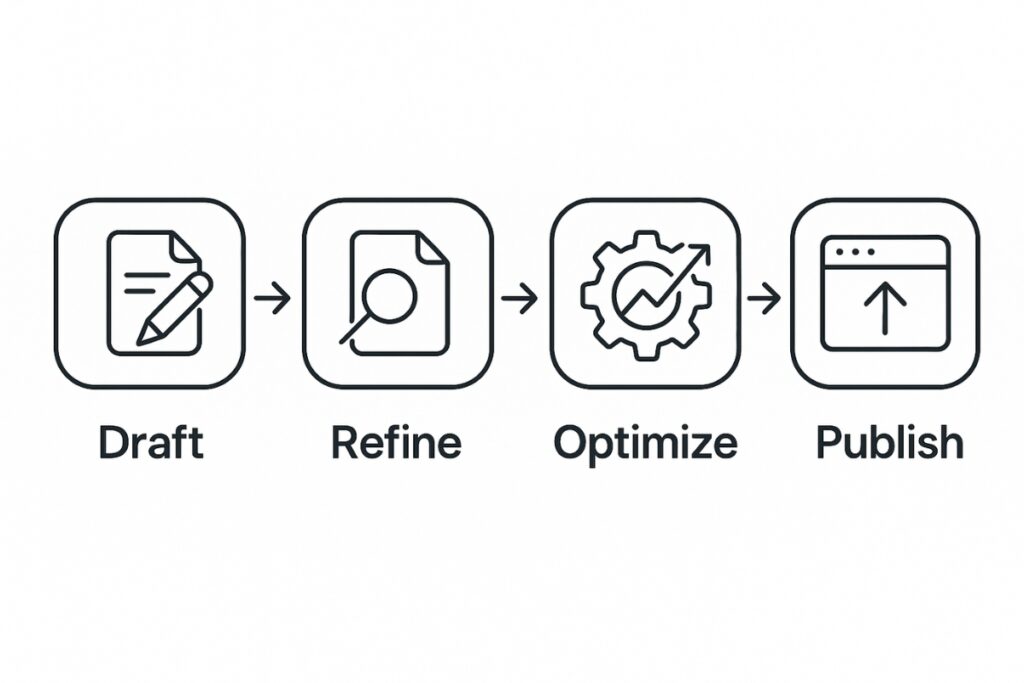
Creating a smooth system helps reduce decision fatigue and keeps publishing consistent.
Here is a simple workflow that connects drafting, refinement, SEO, and organization into one repeatable process.
- Draft the blog post
Use KoalaWriter or BrandWell to generate the initial long-form structured article. - Refine tone and clarity
Use Claude AI to improve flow, simplify explanations, and make the article sound natural. - Optimize for rankings
Use Surfer SEO or WriterZen to align subtopics, keywords, and internal links with what is currently ranking. - Organize, store, and plan publishing
Use Notion AI or Frase to manage drafts, track what is scheduled, and identify next topics to publish.
Creating a Smarter, More Sustainable Blogging Process
AI writing tools are not about replacing creativity. They are about removing the repetitive, time-consuming parts of blogging so more energy can go toward clarity, voice, and strategy.
By shifting the focus away from mechanical tasks, bloggers can spend more time refining ideas, adding personal insight, and developing content that reflects their unique perspective. This keeps the writing process intentional instead of rushed or purely task-driven.
The right tool depends on the goal: faster drafting, stronger SEO, clearer organization, or a unified brand voice.
Understanding where your current workflow slows down makes choosing a tool easier. For example, if outlining takes too long, a research-based planner may help; if polishing tone is the challenge, a refinement tool will make the biggest difference.
Bloggers who want to publish consistently benefit most from AI that supports structure and alignment, while those focused on quality tone may rely more on refinement tools.
Start with one or two tools that match the current workflow instead of adopting everything at once.
Gradual adoption prevents overwhelm and makes it easier to evaluate what actually improves your process. As you become more comfortable, you can add or remove tools based on what delivers noticeable efficiency or quality gains.
With consistent use, a well-chosen AI tool improves writing speed, reduces decision fatigue, and brings more confidence to every post.
Over time, this creates a more predictable and sustainable publishing rhythm. Instead of struggling to start each new article, you develop a repeatable system that supports long-term content growth.
When the writing process feels lighter, it becomes easier to show up, stay consistent, and grow.
Frequently Asked Questions
Yes. Many AI writing tools can produce structured, readable long-form content. However, the best results come from reviewing the draft, adding personal examples, and adjusting tone so the article feels more human and aligned with your audience.
KoalaWriter, Surfer SEO, and WriterZen stand out for creating content that aligns with search intent. They help choose relevant topics, structure articles effectively, and optimize posts so they perform better in search results.
BrandWell is designed to learn and replicate brand voice across multiple articles. They help keep messaging consistent even when working with multiple writers or scaling content output.
Not necessarily. Most bloggers can work efficiently with one primary writing tool and one optimization tool. For example:
KoalaWriter + Surfer SEO
or
Claude + WriterZen
Choosing based on workflow is more effective than stacking too many tools.
Yes. Tools like Surfer SEO and Frase are especially useful for updating and optimizing existing content. They identify missing topics, suggest improvements, and help older posts regain ranking momentum.