In a world where first impressions often happen online, your business card should do more than just share your contact details. It needs to spark interest and guide people to take action. A well-crafted digital business card can turn a quick glance into a meaningful connection or a new client.
This straightforward guide will show you how to create a digital business card that not only looks professional but is also built to convert.
Why Bother with a Digital Business Card?
Think about the last time you picked up a paper business card. Now try to remember where that business card is.
Alternatively, with a digital business card, you can:
- Publish Instant updates (Unlike paper cards, you can update digital ones anytime)
- Easily share contact info (QR codes, NFC taps, email links)
- Track engagement (Some tools show who clicked or viewed)
- Share service info and social proof (Add portfolio, booking links, testimonials, and more)
- Improve your first impression (Looks professional and tech-forward)
BrandCrowd touches on why going digital is more than just trendy in their comparison of traditional vs digital business cards. In short, they’re functional, conversion-optimized, and integrate naturally with broader marketing strategies.
So how do you set up your digital business card to efficiently convert leads? Let’s get into it.
Step 1: Define Your Goal and Conversion Path
What’s the one action you want people to take? Message you? Visit your landing page? Book a call? Download a file?
Choose a single conversion goal and build your card around it. For example, a fitness coach might use their digital card to direct traffic to a free consultation calendar.
Step 2: List What Essentials Should Be on the Card
| Must-Have | Purpose |
| Name and Title | Establish credibility |
| Contact Info | Enable direct communication |
| Website or Landing Page | For deeper exploration |
| Socials | Build trust and ongoing engagement |
| CTA Button or Link | The next step to convert |
| Logo and Colors | Brand recognition |
You can also include QR codes, a profile picture, or a video intro. Just avoid clutter.
Step 3: Design for Clarity and Mobile-First
If people can’t read, click, or scroll through your card easily on their phone, they’ll bounce, and you’ll lose the opportunity.
That’s why mobile-first design is non-negotiable.
Before you start designing, it’s important to understand how layout, visuals, and user experience work together on a small screen. Your card needs to feel intuitive, not just look good.
Below, you’ll find the core elements and best practices that ensure your card is both easy to use and built to drive action on mobile.
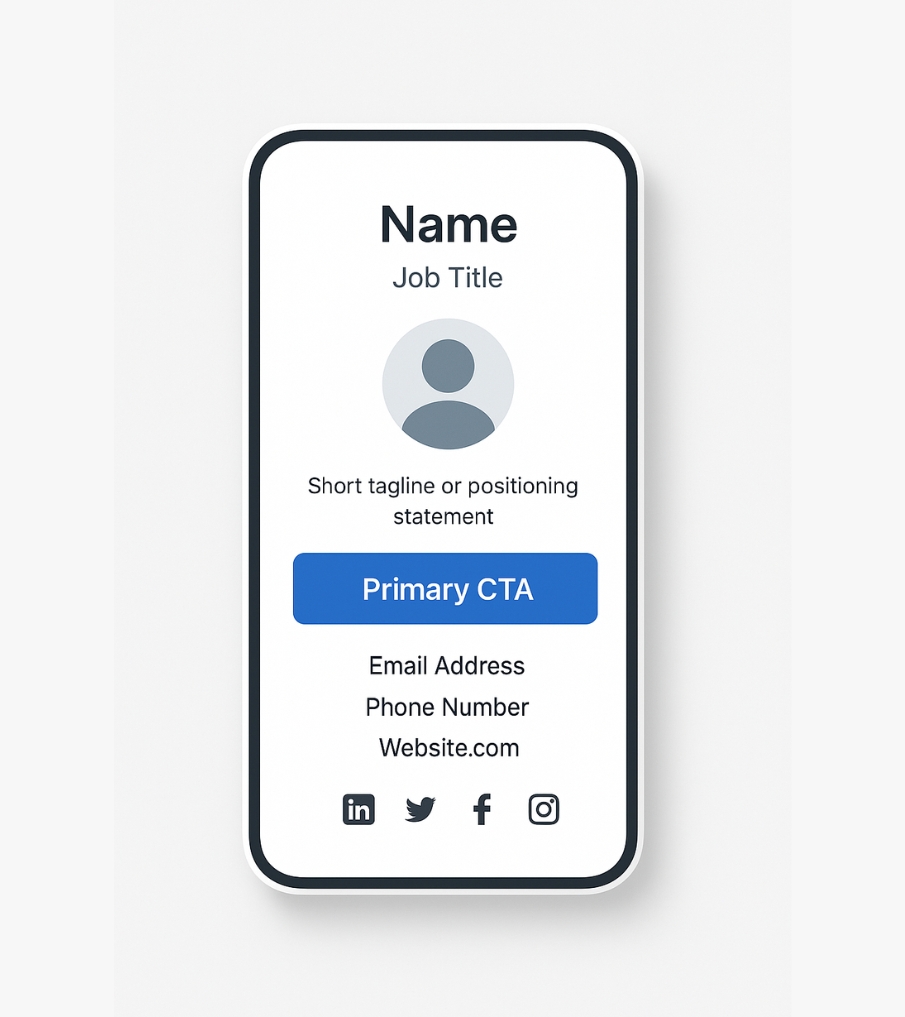
1. Keep the layout vertical and scannable
Structure your card in a top-to-bottom flow like this:
- Name and title at the top
- Professional image or logo
- Short tagline or positioning sentence
- Primary CTA button (e.g. “Book a Call” or “View Portfolio”)
- Contact details
- Social icons or secondary links
2. Use proper font hierarchy
- Name: Large and bold
- CTA: Medium, bright color, button format
- Contact Info: Smaller but readable (min 14px on mobile)
3. Maintain high contrast for readability
Light backgrounds with dark text (or vice versa) improve clarity. Avoid low-contrast pastel combinations that are hard to read in daylight.
4. Minimize visual clutter
- Use white space to separate sections
- Avoid too many colors or fonts
- Stick to 1–2 CTAs max
5. Design CTA buttons with intention
- Use a bold color that stands out from your brand palette
- Add padding around the button so it’s easy to tap
- Test different CTA texts (e.g. “Schedule a Call” vs “Get Started”)
6. Optimize all visuals for fast loading
Common Design Mistakes to Avoid:
- Too much text or small fonts
- Overloading the card with social links or badges
- No clear CTA or hiding it at the bottom
- Using logos or images that aren’t mobile-optimized
- Inconsistent branding that doesn’t match your website or social media
A clean, mobile-first design builds trust and increases conversions.
Step 4: Choose the Right Platform and Sharing Method
Even a perfectly designed digital card won’t help if it’s hard to access, slow to load, or buried under clunky links. That’s why choosing the right platform and the best sharing method is critical.
How to Choose the Right Platform
There are three main paths depending on your needs:
1. Dedicated Digital Business Card Tools
Best for simplicity and speed. These platforms offer templates, analytics, and mobile-optimized formats out of the box.
Top choices include:
- BrandCrowd (Ideal for professionals who want beautiful, on-brand digital cards quickly.)
- HiHello (User-friendly, integrates with CRMs)
- Beaconstac (Great for teams and NFC support)
- Blinq (Strong design templates, easy QR sharing)
2. Landing Page Builders or Website Tools
Ideal if you already have a website or want more control over design and branding.
- Tools like Carrd, Linktree, or even a hidden page on your WordPress site can double as a card
- You can customize layout, add tracking codes, and integrate contact forms
3. CRM or Marketing Automation Platforms
Perfect for service providers or business owners using tools like GoHighLevel.
- Build your card as a funnel landing page
- Add forms, auto-responses, and track behavior
- Integrate email, SMS, and follow-ups automatically
This approach is more advanced but makes your card a true conversion system. It also supports wider content strategies, easily integrating into your evergreen content and local content marketing strategies for community-driven visibility.
Refer to our full guide to the best digital business card tools for a side-by-side comparison.
Best Ways to Share Your Digital Business Card
Once your card is built, here are the most effective ways to distribute it:
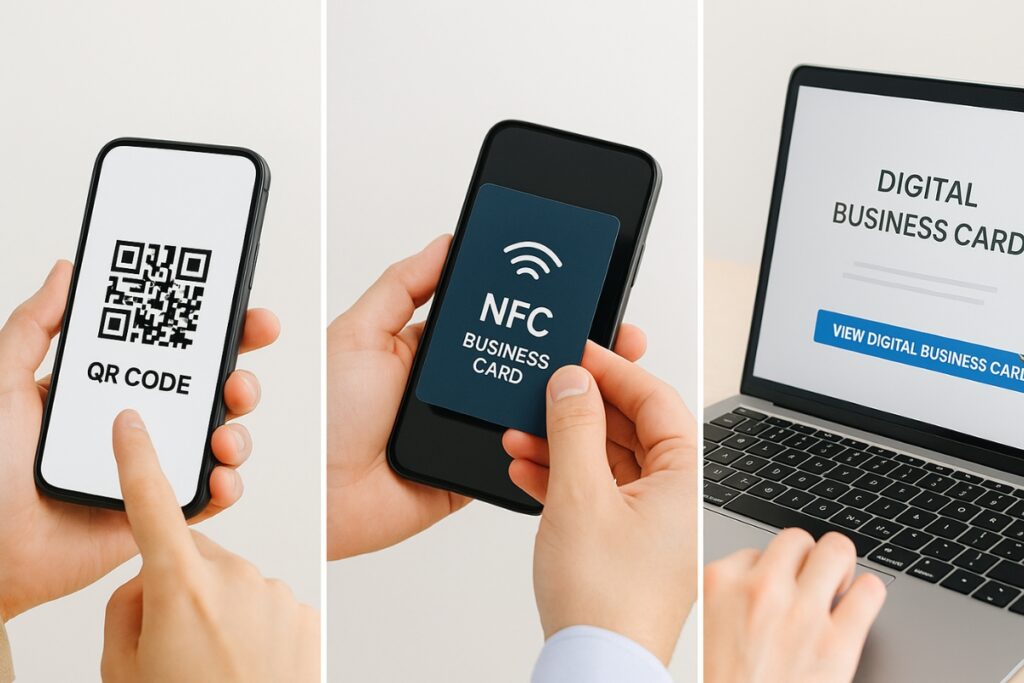
| Sharing Method | Best For | Example Use |
| QR Code | In-person meetings, print materials | Flyers, brochures, event booths |
| NFC Card | Networking events | Tap card to open card instantly |
| Short URL | Online profiles, messaging apps | Social bios, DMs, text messages |
| Email Signature | Daily email exposure | Every professional email sent |
| Wallet Pass | Long-term access on phones | Great for follow-ups, loyalty, or clients |
| vCard Download | Instant contact saving | One-tap to add to phone contacts |
You can combine multiple sharing methods depending on your audience and how you interact with people.
Pro Tip: Use Dynamic QR Codes
With dynamic QR codes, you can update your destination link without reprinting the code. This is essential if you ever change your domain, branding, or platform.
Choosing the right platform and sharing method is about more than just features. It’s a balance of ease of use, design flexibility, and long-term scalability.
As you evaluate your options, consider how often you’ll need to update your contact details, tweak offers, or shift messaging. A flexible platform with dynamic QR support and built-in tracking puts you in control, so you can make changes without starting from scratch.
Ultimately, it’s not just about what looks good today. It’s about what fits into your daily workflow and continues delivering results as your business grows.
Step 5: Place CTAs Where They Get Clicked
CTAs drive conversions. Here is how to do them right:
- Use a button-style CTA with color contrast
- Keep the message simple: “Book a Free Call,” “See My Work,” “Save My Contact”
- Don’t overdo it. One primary CTA and one backup is enough
- Test placement and wording
Smart CTA placement can boost conversions by up to 40 percent, especially on mobile.
Step 6: Optimize with Tracking and Analytics
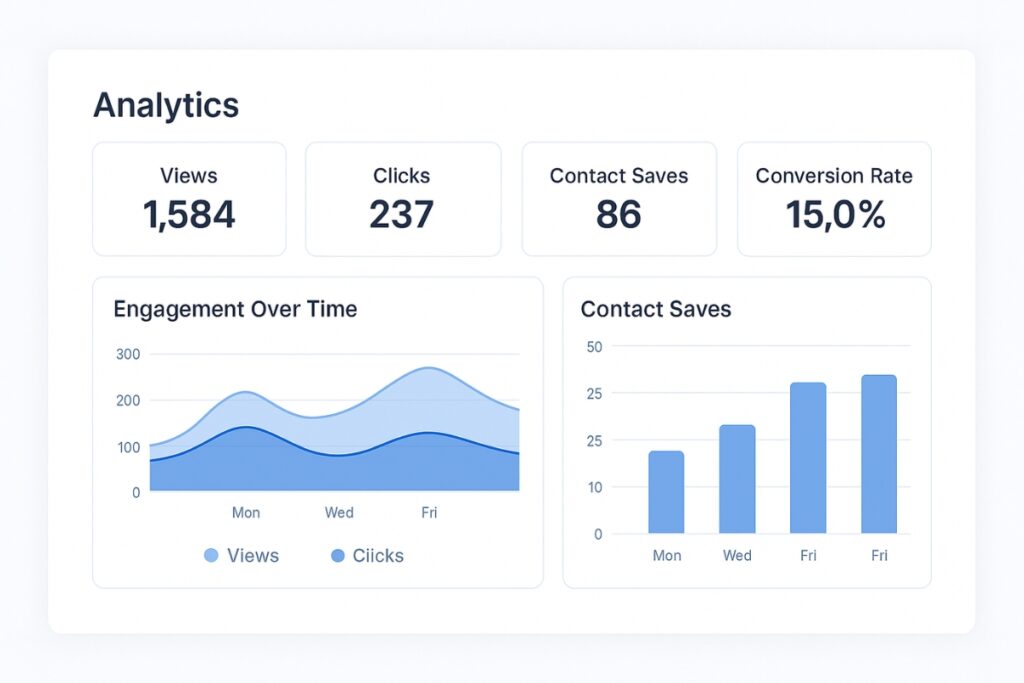
Don’t just share your card and hope. Use platforms that offer:
- View counts
- Click tracking
- Contact saves
- Geo insights (where views are coming from)
Over time, you’ll see what works and where to improve. For those managing multiple business locations or service areas, this ties in well with local SEO for multi-location businesses, allowing centralized control while supporting localized visibility.
Step 7: Share Strategically
Here’s how to promote your digital card in ways that bring attention and leads:
- Add it to your email signature
- Drop the link in social media bios
- Include a QR code on flyers, posters, or menus
- Use it in virtual backgrounds or Zoom chats during calls
- Embed it in proposals or lead magnets
- Offer it as a “save my contact” link on thank-you pages
Pairing your card with optimized local business directory listings helps reinforce trust signals and improve your Google Business ranking.
Use Cases for Local Businesses
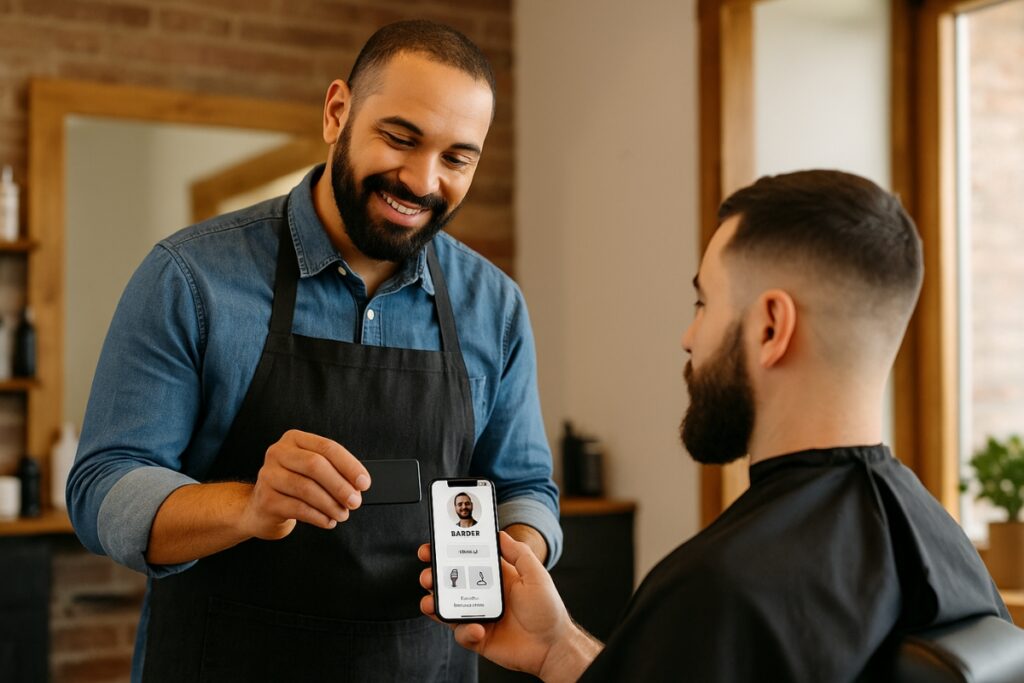
For local businesses such as barbershops, salons, real estate agents, and event planners, digital business cards simplify sharing and speed up follow-ups.
Imagine a customer tapping your NFC card and instantly getting:
- A “Book Now” button
- Your business hours
- A link to Google Reviews
- Your contact auto-saved
Tie your card into email sequences, automated content funnels, or SMS workflows to maximize conversion, especially if you’re using tools designed for local business automation.
Final Tips Before You Launch
- Keep it simple and actionable
- Test mobile readability early
- Stick to one primary CTA
- Embed your card into everyday communication
- Analyze performance regularly
Frequently Asked Questions
A digital business card is a virtual version of a traditional business card. It can be shared via QR codes, NFC tap cards, links, or email. When someone opens it, they can view your contact info, click your links, save your details, or take an action like booking a call.
In most cases, yes. Digital cards can be updated anytime, shared instantly, and tracked for engagement. They’re also eco-friendly and can include features like videos, links, and automated contact saving, which paper cards can’t offer.
No, many platforms offer browser-based editors. Some tools do have apps, but you can also use landing page builders or CRMs like GoHighLevel to create and host your digital card without extra software.
Absolutely. With NFC cards or printed QR codes, you can quickly share your digital card during meetings, events, or casual encounters. It’s a great way to bridge offline and online networking.
Clear layout, strong CTA, consistent branding, and mobile-first design. Keep it focused and easy to use.
Use a platform that offers analytics. Some tools show who viewed your card, clicked a link, or saved your contact. You can also add UTM parameters or integrate with CRM tools to track user behavior more deeply.